Lesson 3 · Workplace outputs
Ask Claude for the output you actually need
Learn how to ask Claude for emails, tables, checklists, document drafts, and spreadsheet formulas in a format you can review and edit.
Primary source
Anthropic's official Create and edit files with Claude explains that Claude can help generate workplace files such as Excel spreadsheets, PowerPoint presentations, Word documents, and PDFs. In this lesson, we start with the safer basic habit: ask for a draft output, then review it carefully.
The one idea
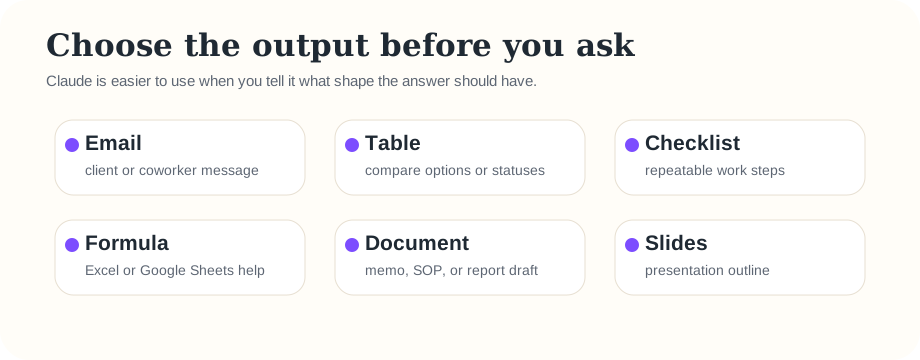
Before asking Claude, decide what shape you want the answer to have. “Help me” is vague. “Draft a polite email” or “Make a table” is much easier for Claude to follow.
The output prompt template
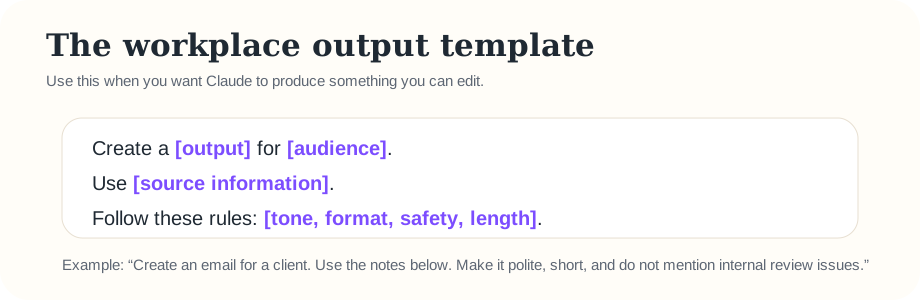
Template:
Create a [output] for [audience]. Use [source information]. Follow these rules: [tone, format, safety, length].
Practice 1: client email
Paste this into Claude:
Create a polite email to a client asking for missing bank statements for month-end reconciliation. Use fake details only. Keep it under 120 words and include a clear deadline placeholder.
Then revise it:
Make it warmer, but still professional. Add a subject line.
Practice 2: table
Paste this into Claude:
Create a table for tracking month-end close tasks. Columns: Task, Owner, Due date, Evidence needed, Status. Use fake example rows only.
This is useful because tables make Claude's answer easier to scan and easier to copy into a spreadsheet or document.
Practice 3: spreadsheet formula help
Paste this into Claude:
I am using Excel. Explain a simple formula to flag invoices that are more than 30 days overdue. Use fake column names: Invoice Date in column A and Paid? in column B. Explain the formula in plain language.
Safety habit: test any formula on a copy or fake data before using it on a real workbook.
Review rule
Claude drafts; the accountant decides. Always check numbers, formulas, dates, accounting terminology, client tone, and company policy before sending or saving an output.
Quick check
Question: Which prompt is strongest?
B = “Help with invoices.”
C = “Create a polite 100-word email asking a client for missing invoices, using fake details only.”
Memory practice
From memory, fill in the template:
Show answer
Create a [output] for [audience]. Use [source information]. Follow these rules: [tone, format, safety, length].
Ask the teaching agent
If she has a real workplace output in mind, ask the agent: “Help me turn this into a safe Claude prompt without using confidential information.”